
Free videoke for barkada, family and parties
Videoke night on any TV.
Open KantaQ on your TV's web browser. Everyone scans the QR code and reserves songs from YouTube on their own phone, like slips at a videoke bar, only nobody has to fight over the songbook.
No sign-up and no app to install. Works on smart TVs and laptops connected to a TV.
How it works
-
1
Open KantaQ on the TV
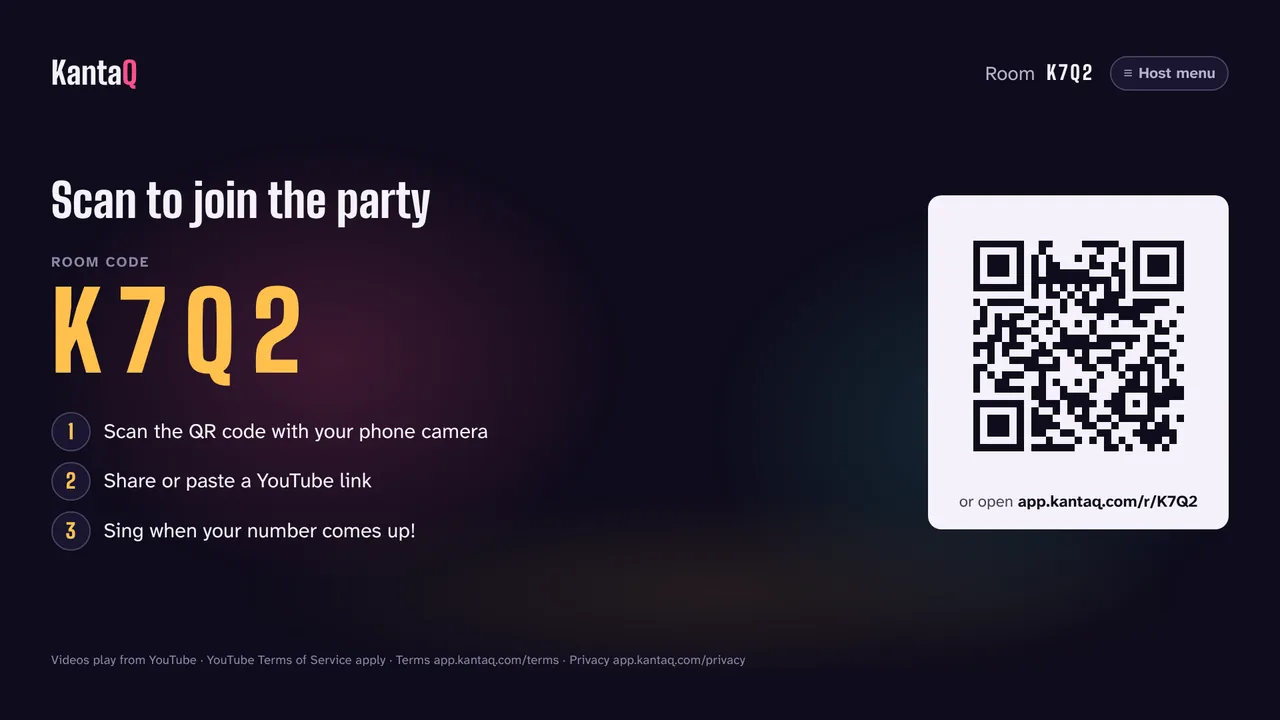
Go to tv.kantaq.com in your TV's browser (Samsung, LG, Google TV) or on a laptop plugged into the TV. A room code and QR code appear.
-
2
Guests scan and reserve
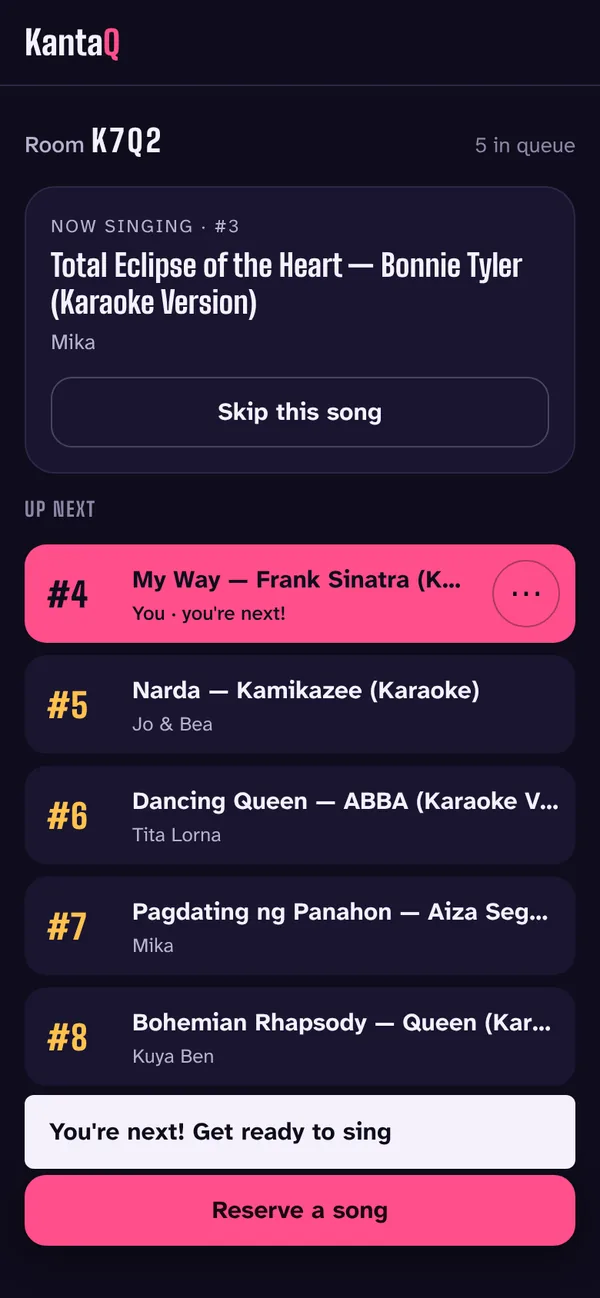
Everyone scans the QR code with their phone camera, enters a name, then shares or pastes a YouTube karaoke link. Each reservation gets a number, just like at the videoke bar.
-
3
Sing when your number comes up
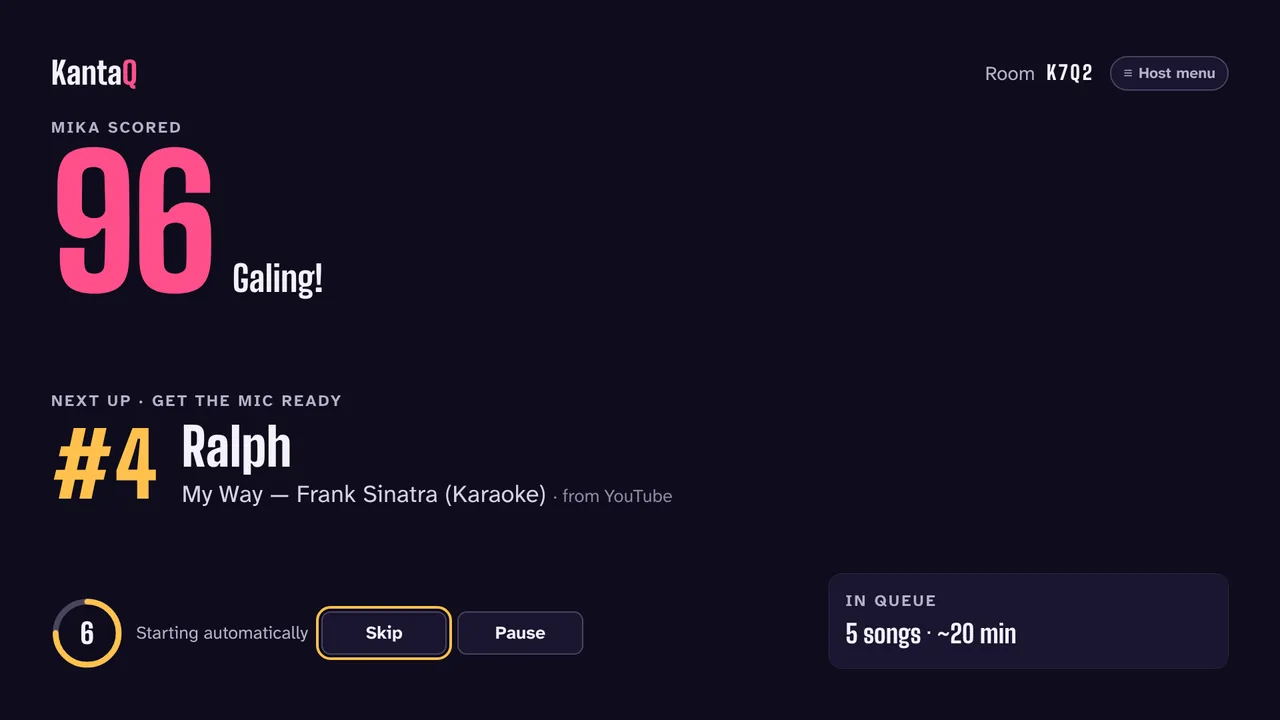
The TV plays the songs in order and shows who's up next, so the next singer can get the mic ready. After each song you get a score, just for fun.
Made for a real party
- Your phone is the remote. Reserve songs, see your place in the queue and get a heads-up when you're next.
- Anyone can skip. Singer stepped out? Anyone in the room can skip the current song from their phone.
- The host stays in charge. Pause, reorder or remove songs, lock the room and end the party from the TV remote.
- Songs that won't play are caught early. If an uploader blocks playback outside YouTube, KantaQ tells you before you reserve and suggests versions that do play.
- Built for the big screen. Large text, big room code and a layout you can read from across the room.
Frequently asked questions
Is KantaQ free?
Yes. KantaQ is free for the host and for every guest, with no account or sign-up. It is supported by ads, shown between songs on the TV and in the phone app. Ads never cover the video while someone is singing.
What do I need to start a party?
A TV with a web browser (or a laptop or PC connected to the TV), an internet connection, and a phone for each guest. The music comes from the TV's speakers, so plug in your speakers and microphones the way you normally would.
Do guests need to install an app?
No. Scanning the QR code opens KantaQ in the phone's browser. On Android you can also add it to your home screen, then share a video straight from the YouTube app to KantaQ.
Where do the songs come from?
From YouTube. Guests paste or share a link to a karaoke video, and the TV plays it with YouTube's own player. Some uploaders don't allow their videos to play outside YouTube; when that happens KantaQ says so and suggests other versions of the song that can play.
How is the score calculated?
It's just for fun, like the score on a videoke machine. KantaQ never uses your microphone and never records your voice.
Can anyone skip a song?
Yes, like at a real videoke: anyone in the room can skip the song that's playing, for example when the singer stepped out. The host also has a menu on the TV to pause, skip, reorder the queue, lock the room or end the party.
What information does KantaQ keep?
Only what the party needs: the display name you type and the songs you reserve. There are no accounts, and rooms are deleted 30 days after the party ends. The details are in our Privacy Policy.
Who makes KantaQ?
KantaQ is made by Ralph Ordanza, an independent developer in the Philippines. Questions, ideas or problems? Write to hello@kantaq.com.
Ready to sing?
Open KantaQ on the TV and share the room code. The first song can be playing in a minute.